Editors
flowpact's findings, hover traces and go to definition while you edit — in VS Code and any editor that speaks LSP.
flowpact ships a language server, so the analysis runs while you edit instead of only in CI. In VS Code, install
flowpact from the
Visual Studio Marketplace; in VSCodium,
Cursor, Windsurf and other editors built on VS Code, from
Open VSX. The extension bundles the server. Other editors
start it with flowpact lsp. You get:
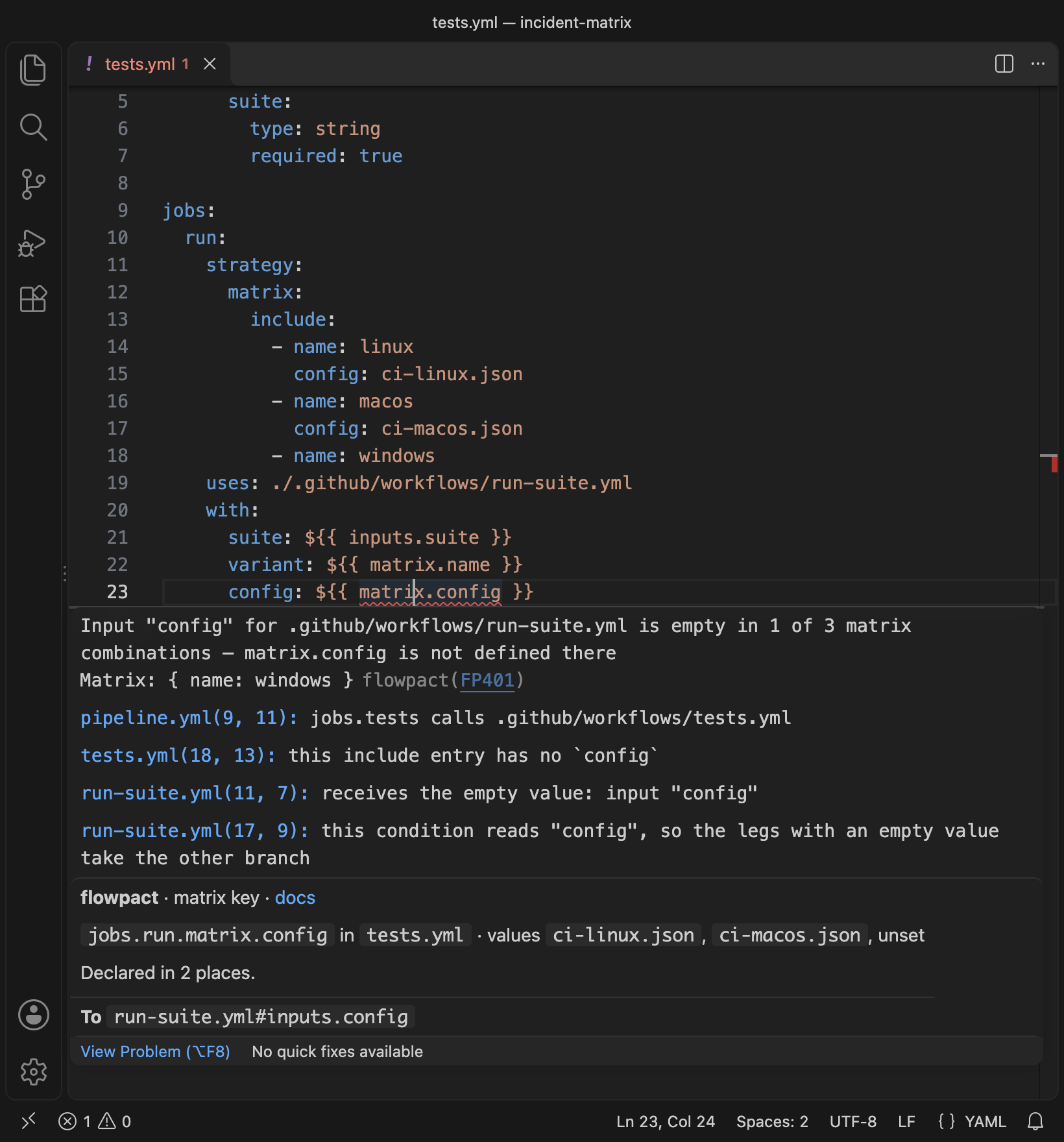
- Diagnostics as you type — the findings of
flowpact lintfor the whole repository, closed files included, updated on every edit (unsaved ones too). Editing a reusable workflow updates its callers' findings at once. When.github/flowpact/contracts/exists,flowpact check's contract findings (FP801–FP805) are included. - Hover — how an input, secret, output, env variable or matrix key is declared, where its value comes from and where it flows, through every level of nesting.
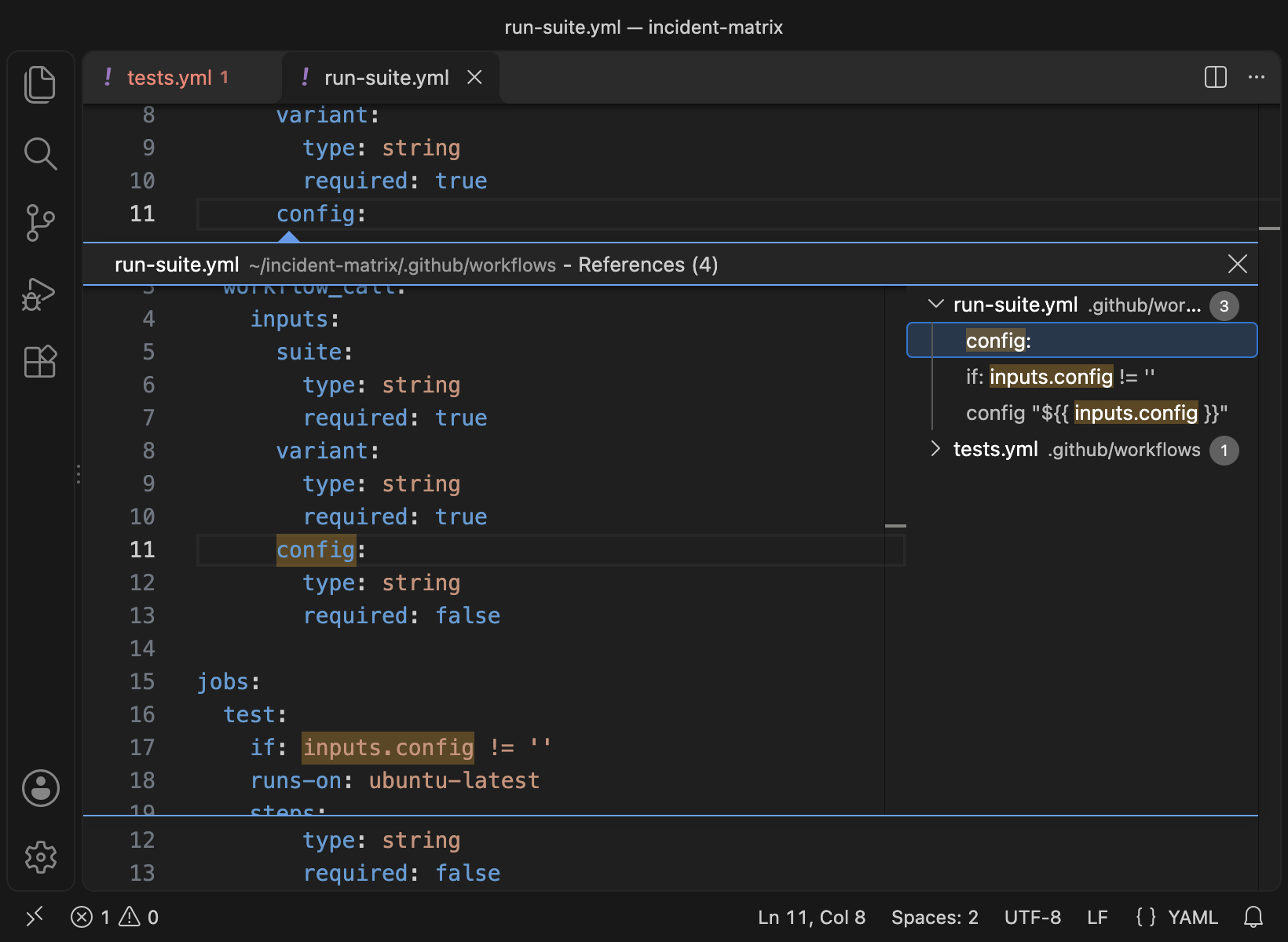
- Go to definition across workflow calls and local actions: from
with: config:to the callee's input, fromneeds.build.outputs.urlto the reusable workflow's output, fromsteps.x.outputs.yto the action's output. - Find references and highlights across files.
The server treats every directory with a .github folder as a repository, so monorepos and nested repositories work
without configuration: the workspace folders are analyzed when the editor starts, and a repository nested inside one
once you open one of its files. Your config (severities, overrides, ignores) applies as in the
CLI.
Hover
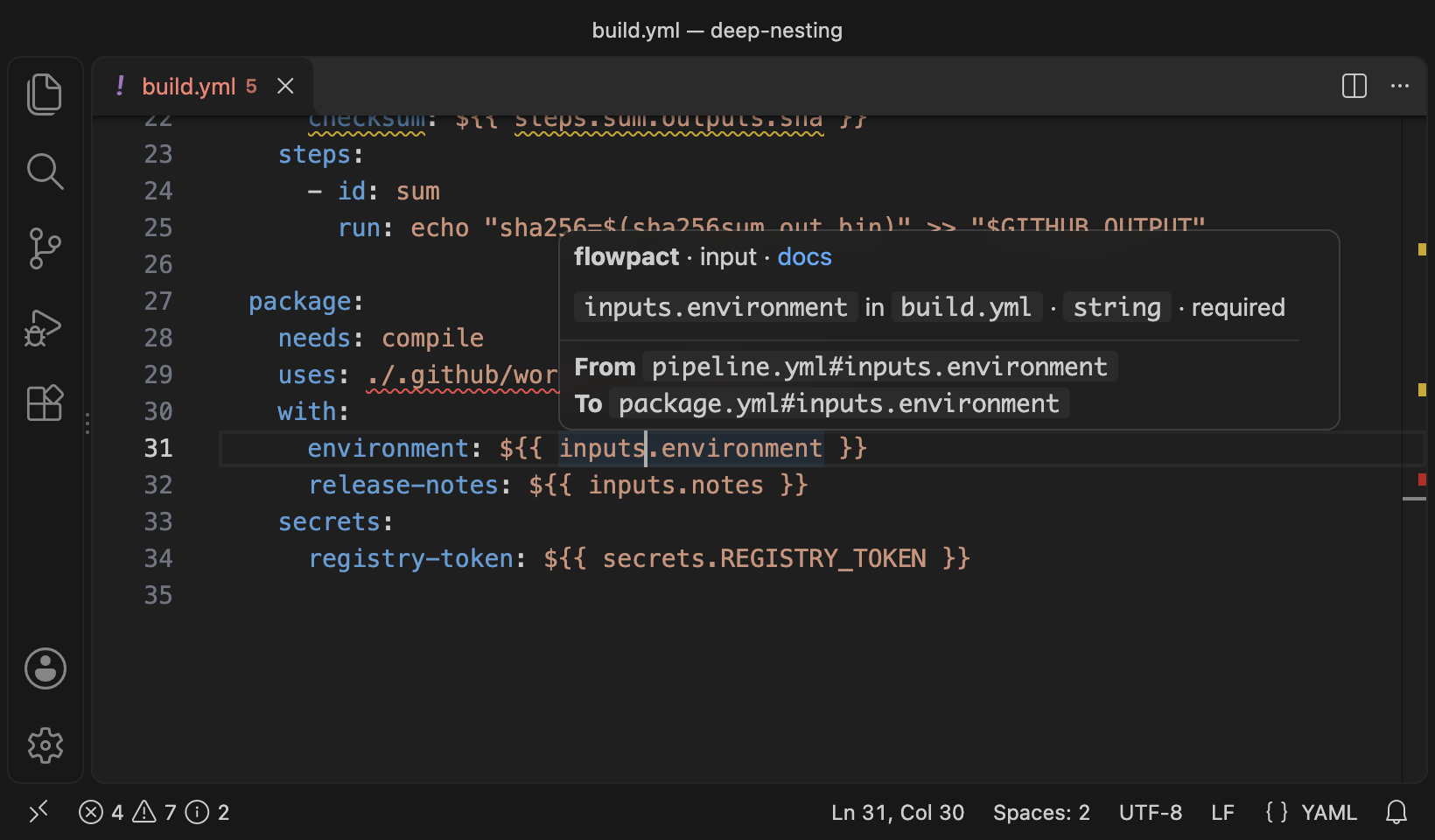
Hovering an input, secret, output, env variable, matrix key, job or uses: value shows a short card from flowpact:
- Header: flowpact, the kind of symbol, and a link to this section.
- First line: the symbol and where it belongs, with its declaration: type, required or optional, default, values.
- From / To: where the value comes from (callers' values, upstream outputs) and where it goes (a callee's inputs,
scripts, conditions), one hop each, with any further entries counted.
flowpact traceshows the whole chain. - On a caller's
with:orsecrets:key, the card shows what this call passes and where the value goes in the callee.
Other extensions add their own sections below it; GitHub's GitHub Actions extension, for example, describes the key's syntax.
VS Code
Install flowpact from the Visual Studio Marketplace, or from Open VSX in VSCodium, Cursor, Windsurf and other editors built on VS Code:
code --install-extension flowpact.vscode-flowpactIt bundles the language server, so nothing else needs to be installed, and works in VS Code 1.101 and later. The
server starts when the workspace has workflows or an action.yml, at a folder's root or nested deeper, or when you open
one; other workspaces only load the extension.
It complements GitHub's GitHub Actions
extension, which completes and validates workflow syntax file by file: flowpact adds what crosses files (the data flow
through reusable workflows and local actions, go to definition and references across them), and by default hides the
four rules both would report (flowpact.overlappingRules).
Settings
| Setting | Default | Description |
|---|---|---|
flowpact.plugins | true | Load the plugins the config lists. They run JavaScript from the repository, so they never load in an untrusted workspace (Restricted Mode), whatever this setting says. |
flowpact.contracts | auto | Report contract drift and breaking interface changes: auto when .github/flowpact/contracts/ exists, on or off. |
flowpact.overlappingRules | auto | FP502–FP505 (expression syntax, schema, YAML syntax, context availability) repeat checks the GitHub Actions extension makes. auto hides them in files you open in the editor while that extension runs (it checks those files, and keeps its findings after you close them); show or hide them everywhere. |
flowpact.hiddenRules | [] | Rule codes not to show in the editor. To turn a rule off in the CLI and CI too, set it to off in the config. |
flowpact.trace.server | messages | When the output's log level is Trace: messages names each message between VS Code and the server, verbose adds its content. |
Logs: the flowpact output channel (flowpact: Show Output). Its log level (Developer: Set Log Level…) is
also the server's: set it to Debug to see every stage of the analysis, or to Trace for the protocol messages too.
VS Code's own extension host log can say Not activating extension 'flowpact.vscode-flowpact': Timed out while searching… in a large workspace even though flowpact runs: it then starts after VS Code's startup instead. The output
channel and the language status item show its real state.
Commands: flowpact: Restart Language Server — also needed after you edit a plugin, since a loaded plugin stays loaded — and flowpact: Show Output.
Workspace trust
In an untrusted workspace (Restricted Mode), everything works except plugins, which run code from the repository. Trusting the workspace loads them without a restart; the language status item next to the file type says when they are off. Plugins load only for repositories inside the workspace folders: not for a file opened from elsewhere, nor for a repository above the folder you opened.
Limitations
- A repository needs a
.githubfolder to be analyzed in the editor; one with only anaction.ymlgets no diagnostics there yet (flowpact lintchecks it). envset on a step or in a composite action,steps.<id>.outcome/conclusionand step ids are not navigable yet.- Contract files (
.github/flowpact/contracts/) show their findings but have no hover or go to definition. - There are no quick fixes, rename or completion yet.
Other editors
flowpact lsp starts the same server over stdin/stdout, for any editor with an LSP client. It needs flowpact
installed. Settings are read from the client's initializationOptions, and from
workspace/didChangeConfiguration under flowpact:
| Setting | Default | Description |
|---|---|---|
plugins | false | Load the plugins the config lists. Enable this only for repositories you trust. |
contracts | auto | auto, on or off, as above. |
hiddenRules | [] | Rule codes not to show. |
logLevel | info | silent, error, warn, info, debug or trace, sent to the editor's log. |
Neovim
With Neovim 0.11 or later:
vim.lsp.config('flowpact', {
  cmd = { 'flowpact', 'lsp' },
  filetypes = { 'yaml' },
  root_markers = { '.github' },
})
vim.lsp.enable('flowpact')
To use the plugins the config lists, add init_options = { plugins = true }.